Automated Supplier Pricing

Client Challenge

The client needed to process large volumes of supplier data whilst checking cost fluctuations every day before business opened. Each supplier provided pricing and inventory files in different formats, making it time-consuming to clean, compare, and update the data manually.

Overview & Key Features

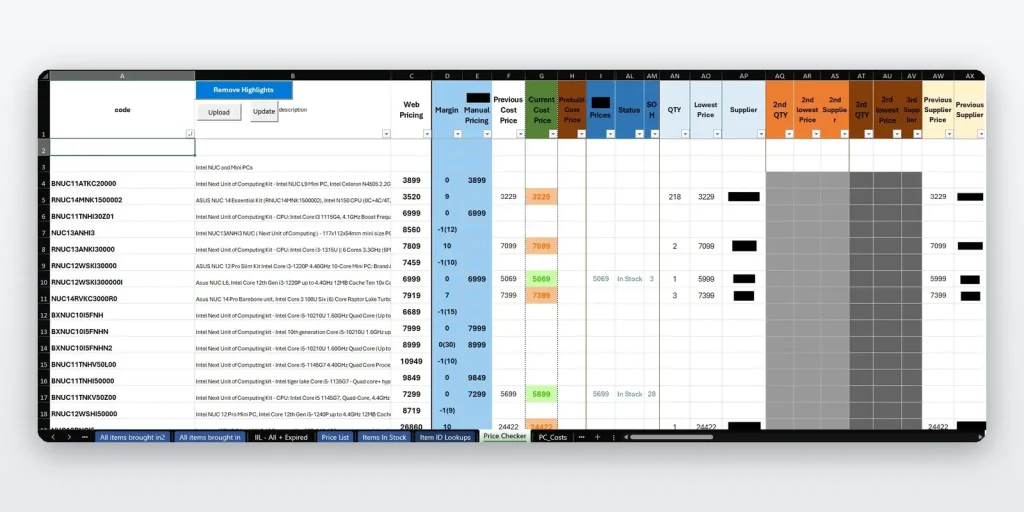
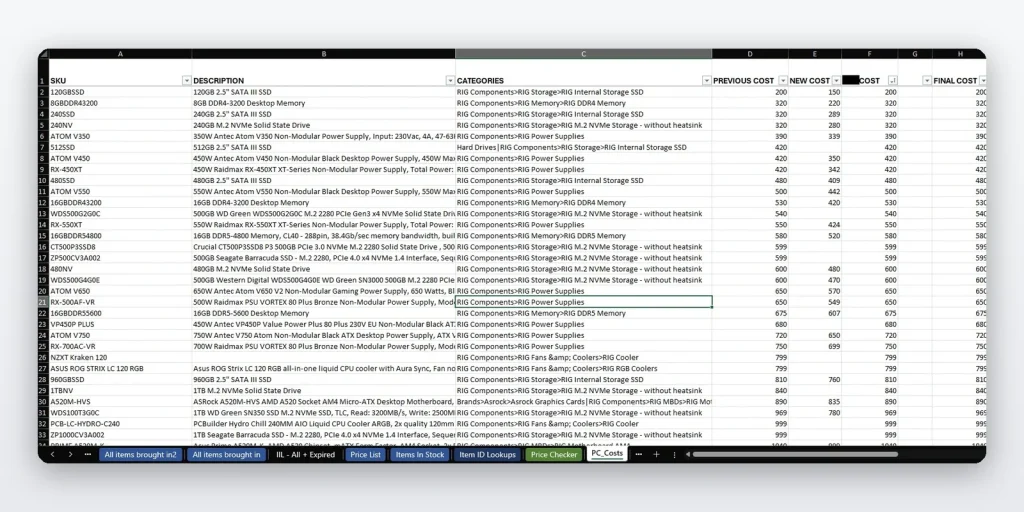
A comprehensive Excel VBA solution that automates the entire supplier pricing and inventory management process. This system processes 50+ supplier files, performs cost analysis, and provides real-time pricing comparisons while maintaining product database integrity.

Key Functionalities:

  • Formats and cleans 50+ supplier files, removing unnecessary data
  • Pulls all supplier data into a centralized master file
  • Identifies cheapest, second cheapest, and third cheapest pricing across all suppliers
  • Tracks cost fluctuations
  • Incorporates internal system pricing alongside supplier data
  • Tracks product quantities and stock levels across all suppliers
  • Simplifies adding new products
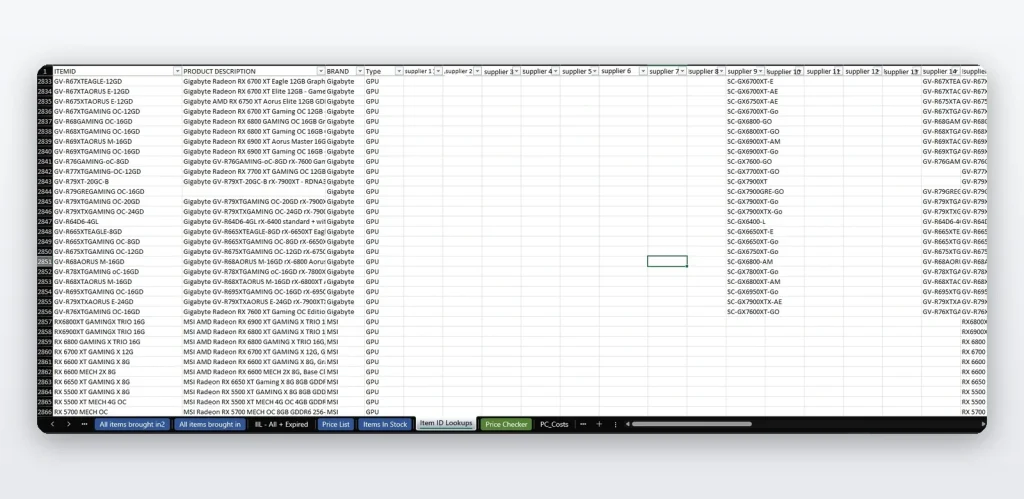
  • Maintains synchronization between internal product identifiers and supplier identifiers
  • Handles special pricing calculations for composite product components

Skills & Technologies Used

Excel VBA
Data Automation
Pricing Analysis
Inventory Management
Supplier Integration
Data Processing
Cost Comparison
Database Management

FAQs

What was the time saved by this process?

Before the solution, processing supplier files for around 5,000 products took roughly 1 hour, followed by another 1.5 hours to scan and review the products file.
With the automation in place, preparation time was reduced to around 10 minutes, and product file review took around 15 minutes, even after the product catalogue grew to approximately 9,000 products.

What was the accuracy increase?

Previously, supplier pricing could only be matched when product identifiers were exact. The new system introduced SKU mapping, allowing supplier SKUs to be connected to internal product identifiers even when naming or formatting differed.
This increased the accuracy of applying supplier pricing to products to approximately 90%, including cases where user data entry mistakes were present.

How difficult is it to set up new products?

New product setup requires only two main steps:
1. Add a row with the product identifier and description in the main sheet.
2. Map the related supplier SKUs in the mapping sheet.

Once mapped, the product can be included in the automated pricing and supplier comparison process.

What is the best way for VBA to go through lots of data?

The best approach is to avoid working directly with worksheet cells one by one. Instead, VBA should load the data into arrays or dictionaries, process everything in memory, and then write the results back to the worksheet in bulk.

Solution

Excel VBA automation system that cleans and imports 50+ supplier files into one master pricing file. The system compares supplier prices, tracks stock levels, highlights new pricing changes, and helps the client update product pricing before business opens each day. It also supports SKU mapping, new product setup, internal pricing comparison, and special pricing calculations for composite products.

Who It’s For

This solution is for businesses that receive daily supplier price lists and need to compare prices, update stock, and manage large product catalogues quickly and accurately.

It is ideal for:

Retailers
Wholesalers
Ecommerce stores
Procurement teams
Businesses using multiple supplier files
Companies managing thousands of products in Excel