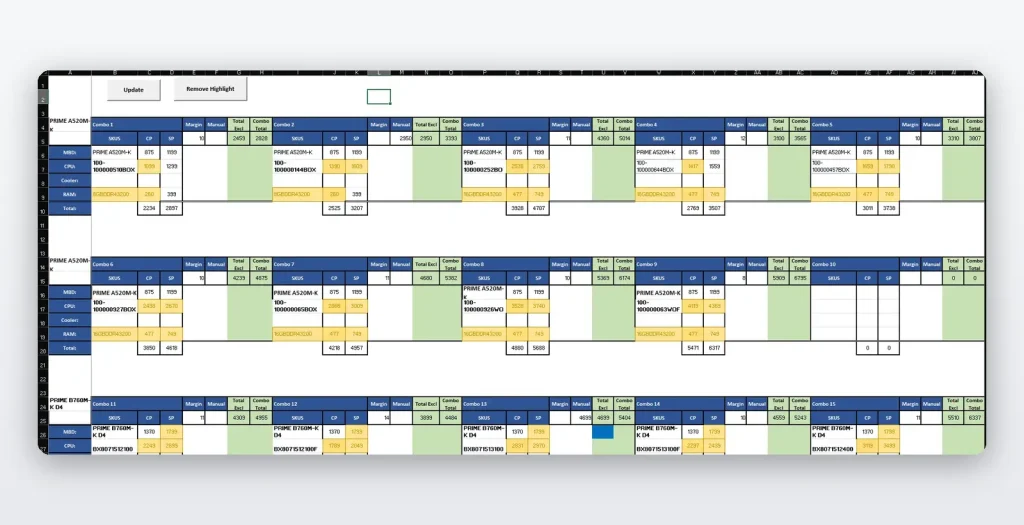
Custom Combos

Client Challenge

The client needed to manage many product combo options with different main products and add-ons, while keeping costs, selling prices, and stock changes updated from their price list (daily fluctuations).

Overview & Key Features

This project required up to 90 possible combos with different main products and additional products. This solution allowed the client to enter their own personal skus per combo and the macro automatically retrieves the cost and selling price from their price list. It also contains conditional formatting to show which products went out of stock or which products’ pricing changed.

Key Features:

  • Dynamic main product and add-on product selection
  • Automatic combo configuration based on business rules
  • Auto-retrieves costs from master price list using custom SKUs
  • Calculates selling prices based on predefined markup rules
  • Real-time price updates when source data changes

Skills & Technologies Used

Excel VBA
Advanced Formulas
Conditional Formatting
Data Validation
Array Formulas
Dynamic Ranges
Lookup Functions

FAQs

How are price changes detected?

The system compares updated price list values against previous values and uses conditional formatting to highlight products where pricing has changed.

What should be considered when building combo tools?

Important items include SKU structure, combo rules, markup logic, stock tracking, add-on limits, price update frequency, and how exceptions should be handled.

Solution

Excel VBA combo pricing tool where the client enters custom SKUs per combo and the system automatically retrieves cost and selling prices, applies markup rules, and highlights price or stock changes.

Who It’s For

This solution is for businesses that sell product bundles, kits, combos, or packages and need fast pricing updates from a master price list.