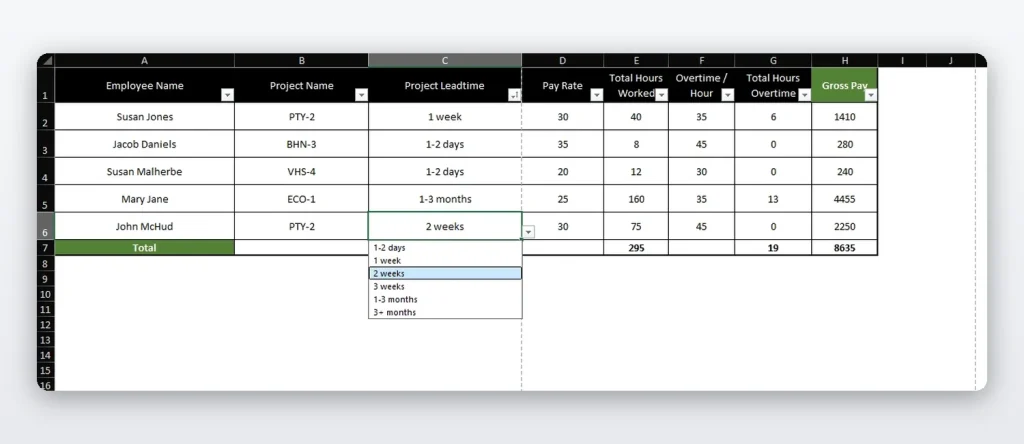
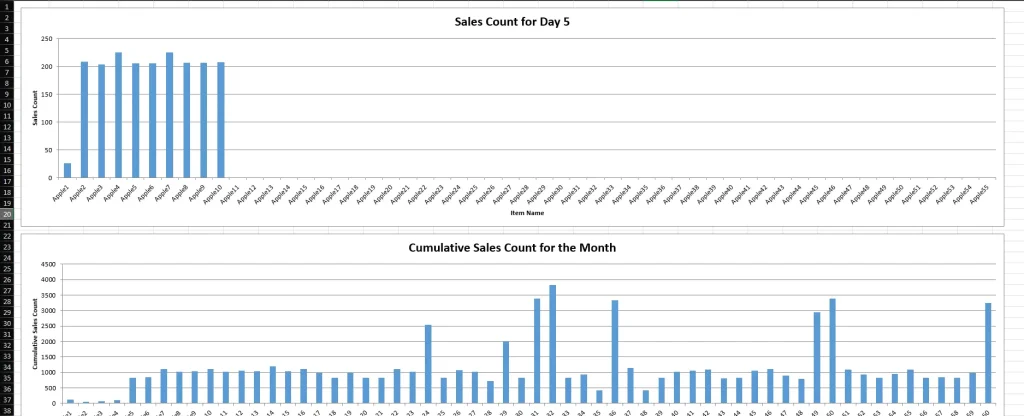
Payroll with Dropdowns

Client Challenge

The client needed a payroll sheet in a specific format that made data entry easier, reduced manual mistakes, and improved the payroll workflow for managers.

Overview & Key Features

The goal of this project was to create a payroll sheet with a specific format, that allows the client to insert data with the use of drop downs in order to improve their workflow.

Key Features:
• Interactive Dropdown Menus: Cell-level dropdowns for employee selection, pay types, and deduction categories
• Automated Salary Calculations: Automatic computation of gross pay, taxes, and net pay based on dropdown selections
• Multiple Pay Types: Support for hourly, salary, commission, and overtime pay structures
• Automated Reporting: Generates payroll registers, tax reports, and employee pay stubs
• Employee Self-Service: Simplified interface for managers with guided dropdown selections


Skills & Technologies Used

Data Validation
Financial Reporting
User Interface Design
Automation
Accounting Principles
Excel Dashboard
Pivot Tables

FAQs

What is a pivot table and how does it help with data?

A pivot table is an Excel tool that summarizes large amounts of data into reports. It helps group, filter, and total payroll information by employee, department, pay type, date, or category without manually building formulas.

Why use data validation in Excel?

Data validation controls what users can enter into a cell. It helps prevent spelling errors, incorrect categories, invalid amounts, and inconsistent payroll entries by using dropdowns or rule-based input limits.

What is the benefit of using dropdown menus in Excel?

Dropdowns make data entry faster and more consistent. They also reduce errors because users select from approved options instead of typing values manually.

What are cross-sheet references?

Cross-sheet references allow one Excel sheet to pull data from another sheet. This is useful for separating employee data, payroll entries, calculations, and reports while keeping everything connected.

Solution

AUTOSCRIPTX created a structured Excel payroll sheet with dropdown selections, automated calculations, reporting outputs, and a simplified layout for faster and more accurate payroll processing.

Who It’s For

This solution is for businesses that manage payroll in Excel and need a cleaner, easier, and more controlled way to enter payroll data and generate reports.