Python Image Resizer

Client Challenge

The client needed to prepare large batches of product images for web and e-commerce use. They had specific formatting and requirements to make images uniform. They also needed a way to process images from a CSV list and optionally return hosted image URLs to be able to upload to woocommerce.

Overview & Key Features

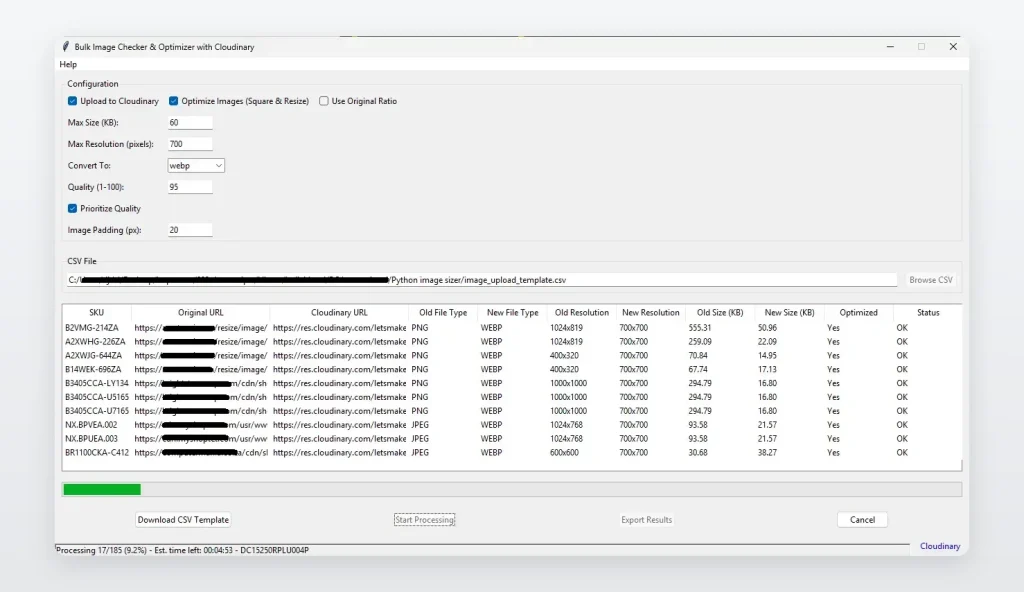
A custom-built Python application that automates large-scale image preparation for web and e-commerce use. The tool streamlines the entire workflow: upload a CSV containing image paths, bulk-resize the images, optimise them for quality, and optionally upload them to Cloudinary. It supports both square cropping (with smart padding) and preserving original aspect ratio, ensuring consistent and professional-looking output.

Key Features

  • Bulk image processing from CSV
  • Cloudinary integration (API upload + URL retrieval)
  • Smart resizing options
  • Maintain original aspect ratio
  • Square images with auto-padding
  • Customisable settings
  • Max dimensions
  • Max file size
  • Output format conversion (JPG / PNG / WEBP / etc.)
  • Adjustable compression/quality levels
  • Padding generation.
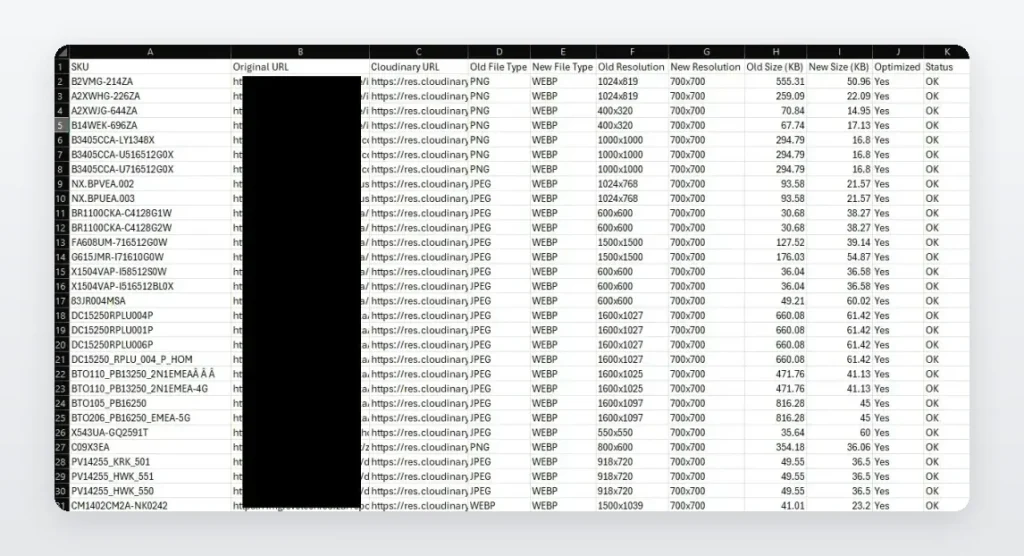
  • Excel export of results
  • On-screen processing summary for user confirmation

Skills & Technologies Used

python
ai
cloudinary api
pandas
image optimization
file handling
batch processing

FAQs

Why use Python for bulk image processing?

Python can process hundreds of images quickly and consistently. Libraries like Pillow, OpenCV, pandas, and the Cloudinary SDK make it easy to resize, compress, convert, read CSV files, export reports, and upload images automatically.

Why process images from a CSV?

A CSV allows the system to handle many image paths at once. This makes it easier to process product images in bulk instead of selecting or editing each file manually.

What is smart padding?

Smart padding adds space around an image so it fits a required square size without stretching or distorting the original image. This is useful for clean, consistent product images.

When should aspect ratio be preserved?

Aspect ratio should be preserved when the image must keep its original shape and avoid cropping or distortion, especially for product photos where proportions matter.

Why use Cloudinary for image hosting?

Cloudinary stores images online, provides secure image URLs, supports image optimization, and makes it easier to use images on websites, e-commerce platforms, and apps.

Solution

A custom Python image-processing application was built to automate bulk image preparation. The system reads image paths from a CSV, resizes and optimizes images, applies square padding or keeps the original aspect ratio, converts formats, controls file size and quality, and can upload completed images to Cloudinary.

Who It’s For

Ideal for e-commerce stores, product teams, web agencies, online retailers, and businesses that need to prepare large volumes of images for websites, catalogues, marketplaces, or online product listings.

Best suited for teams that need consistent image sizing, faster upload preparation, and reduced manual editing work.